Control My IKEA Standing Desktop (UPPSPEL) From Home Assistant
I managed to score a relatively high-quality standing desk at a decent price. Naturally, the next step was integrating it into Home Assistant.
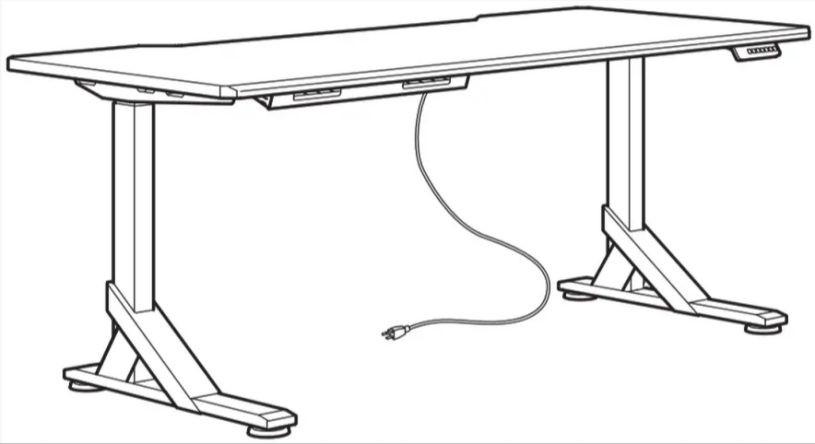
I assumed it wouldn’t be too complicated—and I was right. As it turns out, others have already reverse-engineered similar setups, so I wasn’t starting from scratch.
The desk’s motor controller includes an auxiliary input intended for an external remote, and fortunately, it communicates over RS-232. That made things significantly easier: no need to hack the internals or simulate button presses. All it takes is sending the appropriate serial commands to the controller.
I hooked up an ESP32 to handle the communication and wrote some lightweight glue code to expose the interface to Home Assistant. The result is a fully controllable standing desk, now integrated into my home automation system.
How to recalibrate your IKEA standing desk.
The exact procedure depends on your model:
If your desk has a display (MITTZON):
1. Press and hold the down arrow until the desk reaches its lowest position
2. Keep holding until the display shows “RST”
3. Hold down again — the desk will slowly move down and back up ~4mm
4. When the display shows “72”, calibration is complete
If your controller has a pinhole reset (common with Jiecang):
1. Poke the pinhole at the bottom of the hand controller with a pin (orange light goes steady)
2. Long-press down until the desk reaches its lowest height
3. The desk will automatically raise ~4mm to complete the reset
4. The orange light turns off when done
If it’s a BEKANT (no display):
1. Press and hold Up + Down together for at least 8 seconds
2. The desk will move to the lowest point and recalibrate
After recalibrating, the desk should report accurate physical limits, and the 71.9cm vs 72.0cm discrepancy should resolve.
If the issue persists after recalibration, we can add the percentage clamping fix as a safety net. Want to try the reset first?
The code
esphome:
  name: ikea-standing-desk
  friendly_name: IKEA Standing Desk
  on_boot:
    # don't touch if you don't know what you're doing!
    priority: 0 # when mostly everything else is done
    then:
      - lambda: "id(my_desk).request_physical_limits();"
      - delay: 0.1s # give controller a chance to handle the response before sending the next command
      - lambda: "id(my_desk).request_limits();"
      - delay: 0.1s
      - lambda: "id(my_desk).request_settings();"

esp32:
  board: esp32dev
  framework:
    type: arduino

# Enable Home Assistant API
api:
  encryption:
    key: "xxxx"

ota:
  - platform: esphome
    password: "xxx"

wifi:
  ssid: !secret wifi_ssid
  password: !secret wifi_password

  # Enable fallback hotspot (captive portal) in case wifi connection fails
  ap:
    ssid: "Ikea-Standing-Desk"
    password: "xxx"

captive_portal:


external_components:
  - source:
      type: git
      url: https://github.com/Rocka84/esphome_components/
    components: [ jiecang_desk_controller ]

uart:
  id: uart_bus
  tx_pin: TX
  rx_pin: RX
  baud_rate: 9600

logger:
  baud_rate: 0 # disable logging over uart, required when using the RX/TX pins for the controller

# see full example for more options: https://github.com/Rocka84/esphome_components/blob/master/components/jiecang_desk_controller/example_full.yaml
jiecang_desk_controller:
  id: my_desk
  sensors:
    height:
      name: "Height"
    height_min:
      name: "Height Min"
    height_max:
      name: "Height Max"
    height_pct:
      name: "Height Percent"
    position1:
      name: "Position 1"
    position2:
      name: "Position 2"
    position3:
      name: "Position 3"
    position4:
      name: "Position 4"
  buttons:
    stop:
      name: "Stop"
    step_up:
      name: "Step up"
    step_down:
      name: "Step down"
    position1:
      name: "Position 1"
    position2:
      name: "Position 2"
    position3:
      name: "Position 3"
    position4:
      name: "Position 4"
    save_position:
      name: "Save Position"
    move_up:
      name: "Move up"
    move_down:
      name: "Move down"
  numbers:
    height:
      name: "Height"
    height_pct:
      name: "Height Percent"


Resources
- https://community.home-assistant.io/t/upsy-desky-add-your-standing-desk-uplift-jarvis-omnidesk-ikea-to-home-assistant/542200
- https://community.home-assistant.io/t/desky-standing-desk-esphome-works-with-desky-uplift-jiecang-assmann-others/383790
- IKEA FAQ – MITTZON/BEKANT/IDÅSEN reset (https://www.ikea.com/nl/en/customer-service/knowledge/articles/gf126fd9-d4dg-4635-g741-4ed9161ebd45.html)
- IKEA UPPSPEL reset guide (https://support.itsolver.net/hc/en-au/articles/11251418053519-How-to-Reset-IKEA-UPPSPEL-Standing-Desk-Fix-ASR-Error-Display-Restore-Height-Adjustment)
- General standing desk reset guide (https://updowndesk.com.au/blogs/news/how-to-reset-standing-desk)
