Graylog won’t show the correct Client Address in the Users Overview Page
This is something that I was annoyed by a bit. I was using nginx as TLS termination in front of graylog2 so I was expecting this problem, and based on the documentation I was passing all the required headers to the proxy, but they won’t show on the dashboard for some reason.
    # reverse proxy
    location / {
        proxy_pass http://127.0.0.1:9000;
        proxy_set_header X-Graylog-Server-URL https://$host;
        proxy_http_version 1.1;
        proxy_set_header Host $host;
        proxy_set_header X-Forwarded-For $proxy_add_x_forwarded_for;
        proxy_set_header X-Real-IP $remote_addr;
        proxy_set_header X-Forwarded-Host $host;
        proxy_set_header X-Forwarded-Server $host;
        proxy_set_header X-Graylog-Server-URL https://$server_name/;
        proxy_pass_request_headers on;
        proxy_connect_timeout 150;
        proxy_send_timeout 100;
        proxy_read_timeout 100;
        proxy_buffering off;
        client_max_body_size 8m;
        client_body_buffer_size 128k;
        expires off;

        proxy_headers_hash_max_size 512;
        proxy_headers_hash_bucket_size 128;
    }
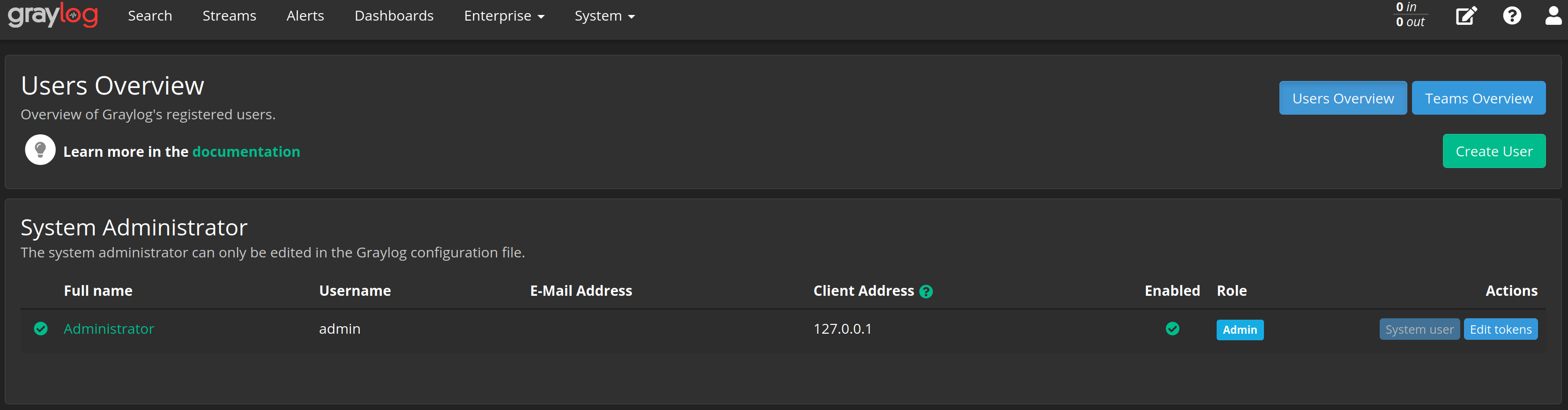
Graylog Users Overview Page
So it was seems like the graylog-server was not processing the passed argument I gave it, after googling around, I found this thread, that mention that graylog-server have an option called `trusted_proxies` and I have to enable it, to let graylog-server use the passed variables.
So log story short, add this lines to your graylog-server config:
# /etc/graylog/server/server.conf
# Comma separated list of trusted proxies that are allowed to set
# the client address with X-Forwarded-For header. May be subnets, or hosts.
trusted_proxies = 127.0.0.1/32, 0:0:0:0:0:0:0:1/128